The app for your music repertoire
Never forget a piece again.
MyRepertoire keeps track of your pieces and tells you when one is starting to fade. And Aria, your practice companion, turns your week at the piano into research‑backed advice.
The problem
Three months to learn a ballade. Six months later you stumble through the opening bars.
Everyone who plays an instrument knows it: a piece is finally done, the next one is already waiting, and the finished one quietly slips out of your fingers. Not because you practice too little. But because nobody tells you when it’s time to bring it back.
That is exactly what MyRepertoire does.
Repertoire
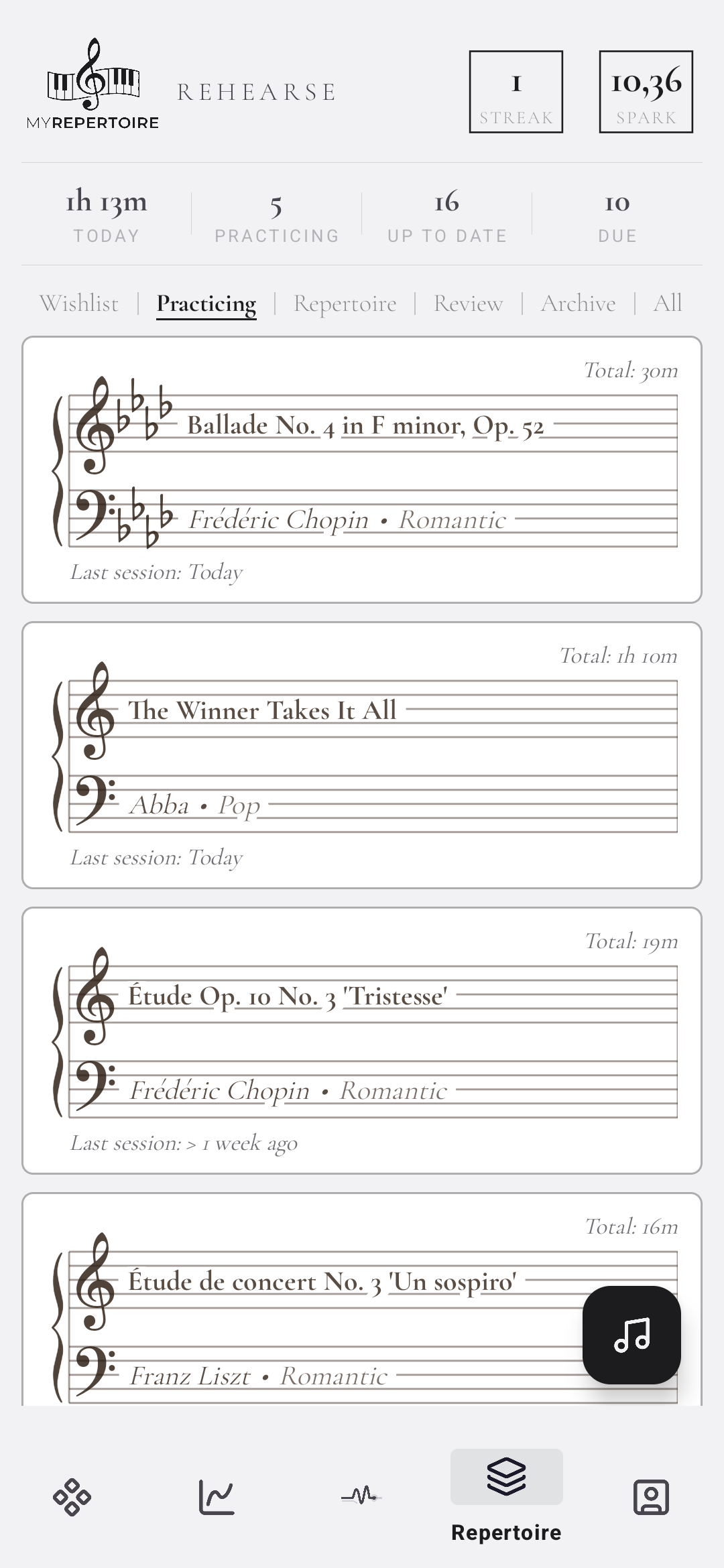
Sorted like a library
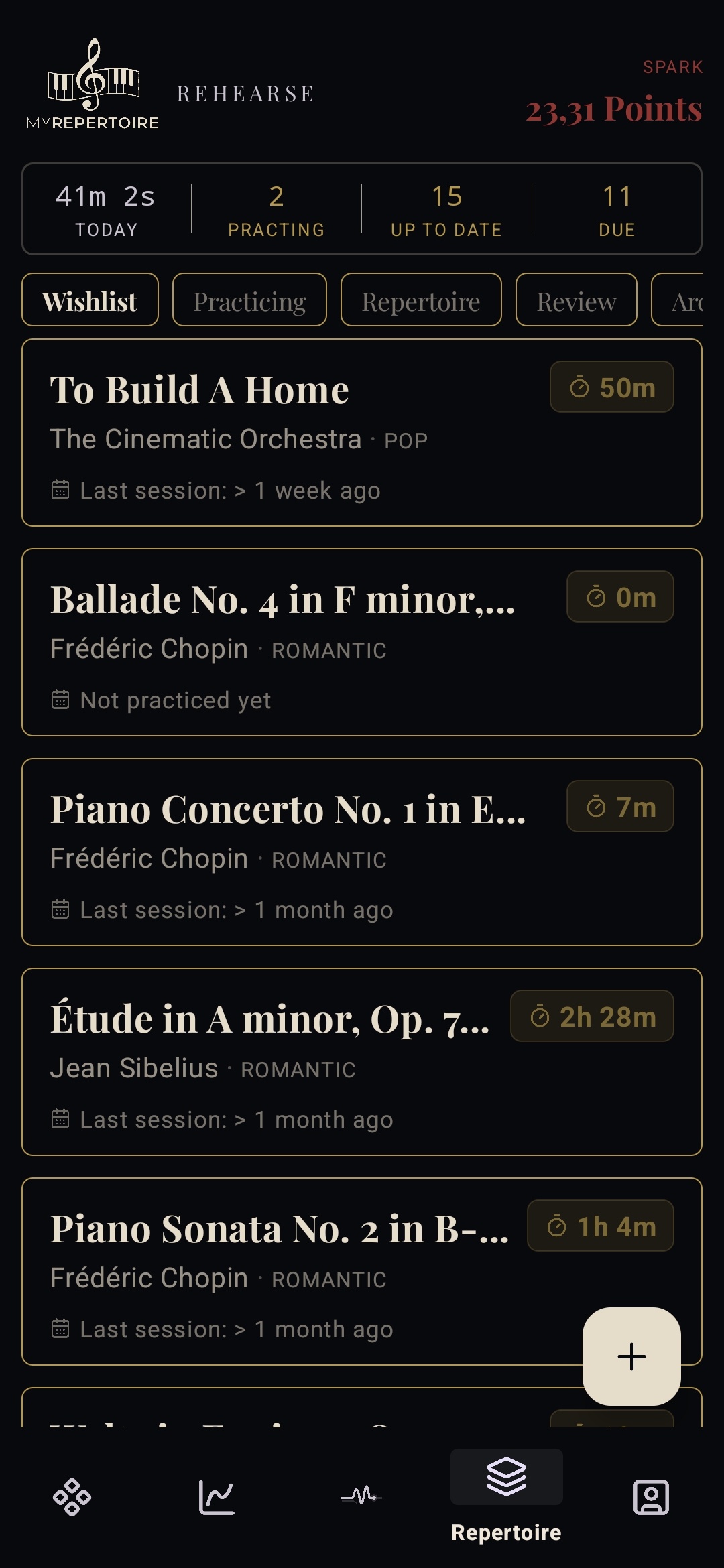
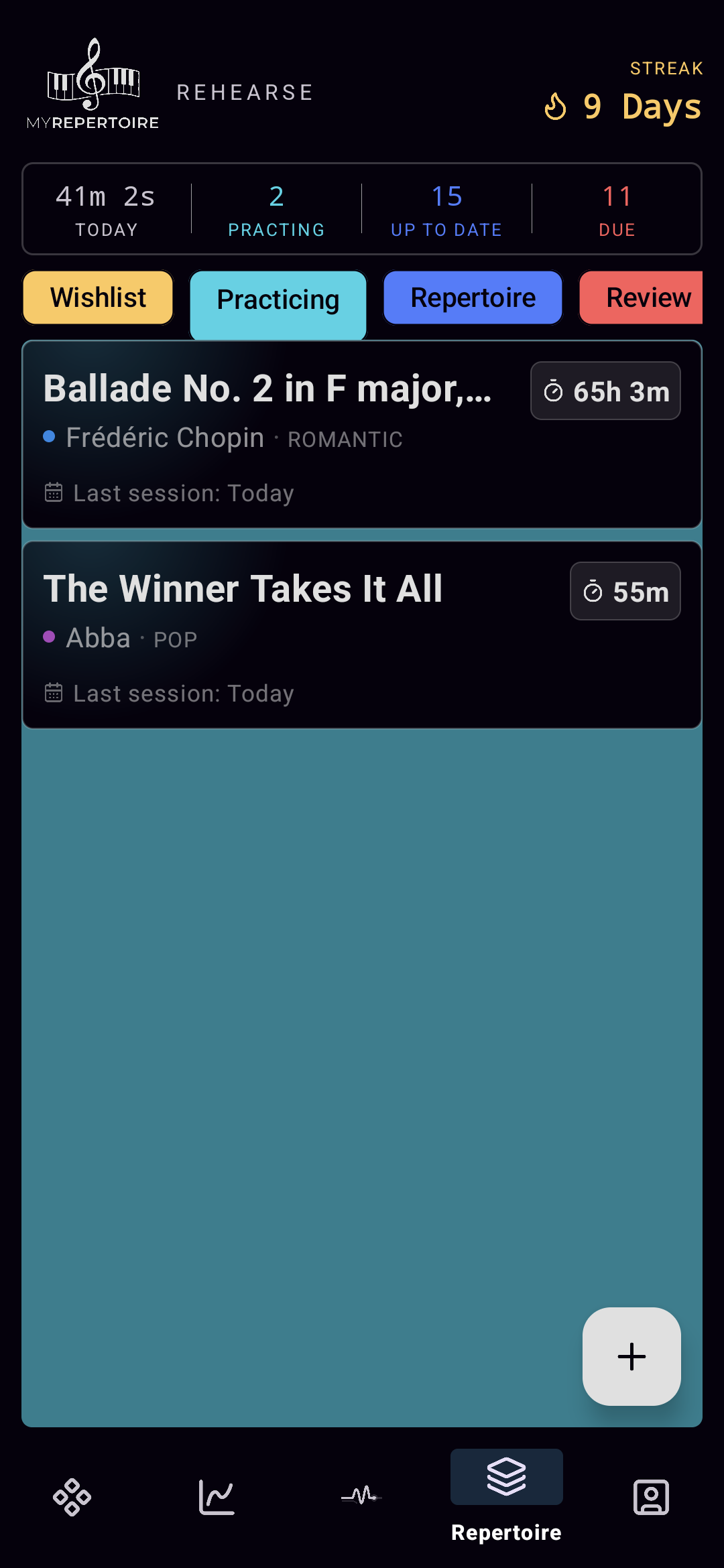
Every piece has a place, and it moves on when something changes.
The review engine
The app remembers what you forget
For every piece in your repertoire, the review engine keeps track of when you last played it. When a refresh is due, the piece shows up at the top of your list. With every successful review, the gap until the next one grows.
The principle is called spaced repetition. It’s how people learn vocabulary. Here, it keeps pieces in your fingers.
Meet Aria
Someone actually read the research. Her name is Aria.
Once a week, Aria looks at what you actually practiced and writes you a short recap: what went well, what’s slipping, and one thing worth trying next.
Her advice isn’t generated small talk. Behind her sits a library of 87 articles grounded in published research on practice, memory and motor learning, and she picks the one that fits your week. Every tip comes with a small task for your next sessions, and the article behind it lands in your in‑app library, so you can read why it works.
“Four of five days at the piano. Solid week. But your Ballade hasn’t had a slow run‑through in 11 days, and that’s usually where cracks start. Try one slow pass, hands separate, before your next full run. I put the article on why that works in your library.”
Aria
Why this app exists
Every eight minutes: twenty seconds of nothing.
Your brain doesn’t consolidate movements while you play. It does that in the short rest phases in between. Learning research has known this for a while; in the music world, almost nobody talks about it.
This one idea is the reason MyRepertoire exists: I wanted a practice timer that plans those micro‑breaks for me. It’s been in every session since.
Statistics
See what you actually practiced
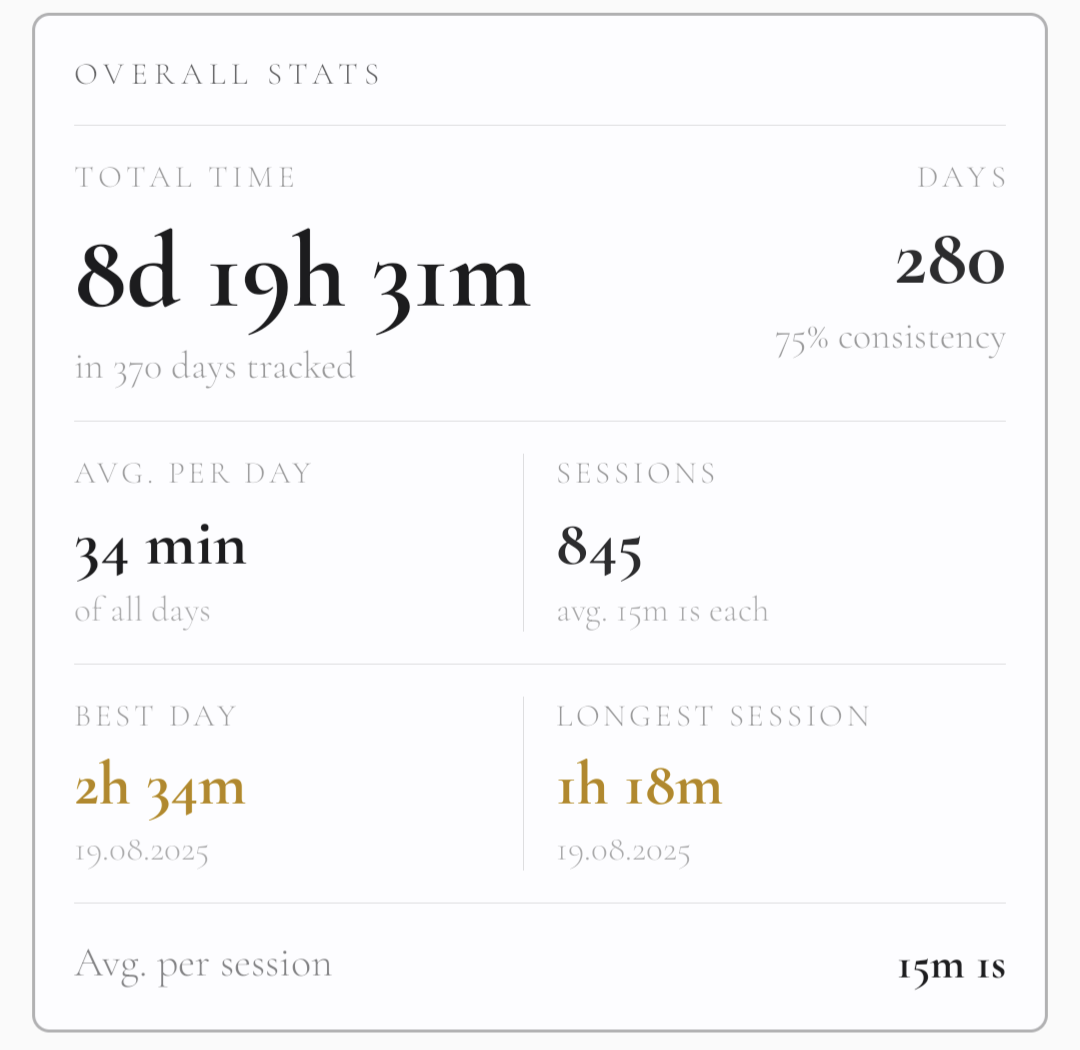
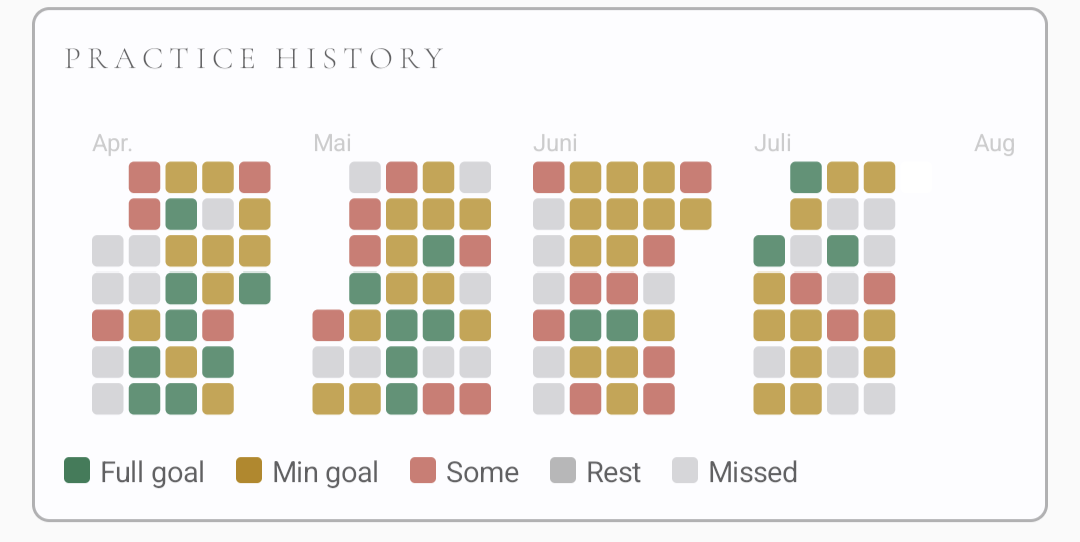
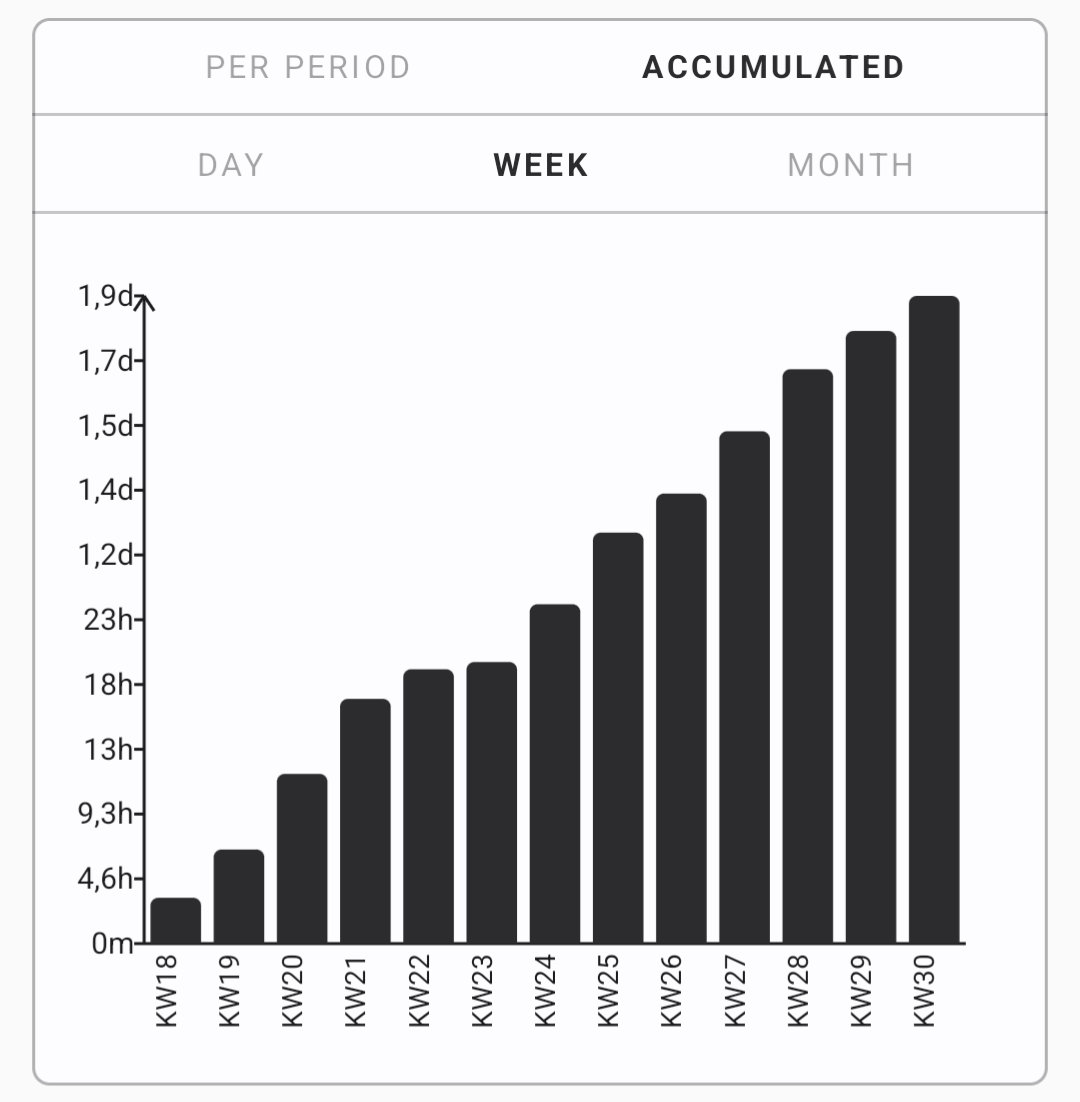
Total time, session history, weekly progress and a heatmap of your active days. No graveyard of numbers, just stats you’ll actually enjoy looking at.
For the session
Everything you need at the piano
Four designs
Paper or midnight
You look at this app every day, so it should look the way you like. From warm manuscript paper to deep midnight blue.
Manuscript · Score · Grande · Classic
Get the app.
Free on Google Play. Built by a pianist who didn’t want to lose his pieces anymore.
Free on Google PlaySomething I’m building on the side
An animation prototype, right in your browser
Drop in a MusicXML file and it renders your sheet music as a note-by-note reveal animation — no server, no upload. Still early and rough around the edges, but you can try it right now.
Open the prototype